 Bike Fast Fit
Pro tier
Bike Fast Fit Pro
- The professional fitting platform.
- Built for fitters and bike shops.
Free download · $99.99/yr subscription
US App Store price. Billed by Apple in your local currency. Cancel anytime in your App Store settings.
Download on the App Store ★ 4.8 · 126 App Store ratings worldwideLatest release Pro 2.11.0 ·
Pro 2.11.0
- Export Data. Send the numbers behind a session's report to a spreadsheet. In a session, open the menu, choose Export, then Export Data. To export several sessions together, select them in the Library and tap the table button. You get a CSV file with one row per side, front or rear video, plus a README that explains every column. Values match the report and are always metric.
- BFF Academy. Open the BFF Academy from the library menu or from the Session help page.
- Fixed: The Library pausing while a session saves, most noticeably on older iPads. A rider, bike or session deleted on one device while offline coming back when an older edit arrived from another device. A rider permanently deleted on one device staying on your other devices. Combining sessions removing the points and measurements from the combined session's snapshots. Reanalyze erasing a Bike Measurement or a photo when its image could not be loaded. A crash during live tracking on the record screen. A crash when switching the Library between Riders and Sessions. A crash when exporting a report whose video could not be read. The app staying empty when its first launch was interrupted. Lower memory use while a recording is analyzed, saved and synced, to help on smaller iPads. Brake Lever to Axle now says whether it is the right or the left lever. The message shown when a subscription or trial ends now says what stays available and what is locked. The Exploring Changes help now names every red dot. Spelling of the recording terms in German, and one heading in Spanish. The close button on pop-ups sitting too far into the corner, and the uneven edge under the Library header on iPhone.
Pro 2.10.0
- A new look. BFF's red is now the deeper red of the BFF Academy, on the app icon, the launch screen and throughout the app. The reds that flag a reading out of range are unchanged.
- Remove Background on Bike Measurements. The corner button that blurs everything behind the rider now works on bike photos too, for each record, and the report page follows your choice.
- Fixed: PDF reports show the session Status line again. Duplicate videos that could trap the swipe inside a session. The side view's auto-crop cutting off the rider when a portrait video is shown on a wide panel. User Manual page titles falling out of step with their pages. The neck point on the rear view labelled "Point" in Adjust Points. Frame Size shown in the bike sense in six languages, and session labels cut off in five. The rear Upper Body result now shows N/A when the spine tracking fails, instead of a result built on a bad reading. Changing a bike's crank length no longer recalculates its earlier sessions; use Reanalyze on a session to apply the new length.
Pro 2.9.0
- Remove Background. Show the rider, bike and trainer on their own, with everything behind them blurred, on the dashboards, in Compare, and on reports and exports. One button on the dashboard turns it on or off for each video. Needs iOS 17 and a device that can run the subject mask.
- Adjust Points on the front and rear views. Move the tracked points by hand on the front-view and rear-view dashboards, as you already could on the side view, and the measurements follow.
- Fit ranges by bike type. Torso, Shoulder and Forearm target bands no longer change with rider level, and eleven bands have been re-centred on measured riders. Sessions you have already analyzed show the new colours; the measured angles do not change.
- Fixed: A crash on iPad when importing from Photos. A crash in LiveCheck when memory runs low. Duplicated measurement sets after syncing between devices, which could crash a video on open; they are cleaned the next time the video opens. A database error logged on every launch of a fresh install. Text that overflowed in four places in German and Spanish. The Upper Body panel icon.
Everything Bike Fast Fit Elite does, plus:
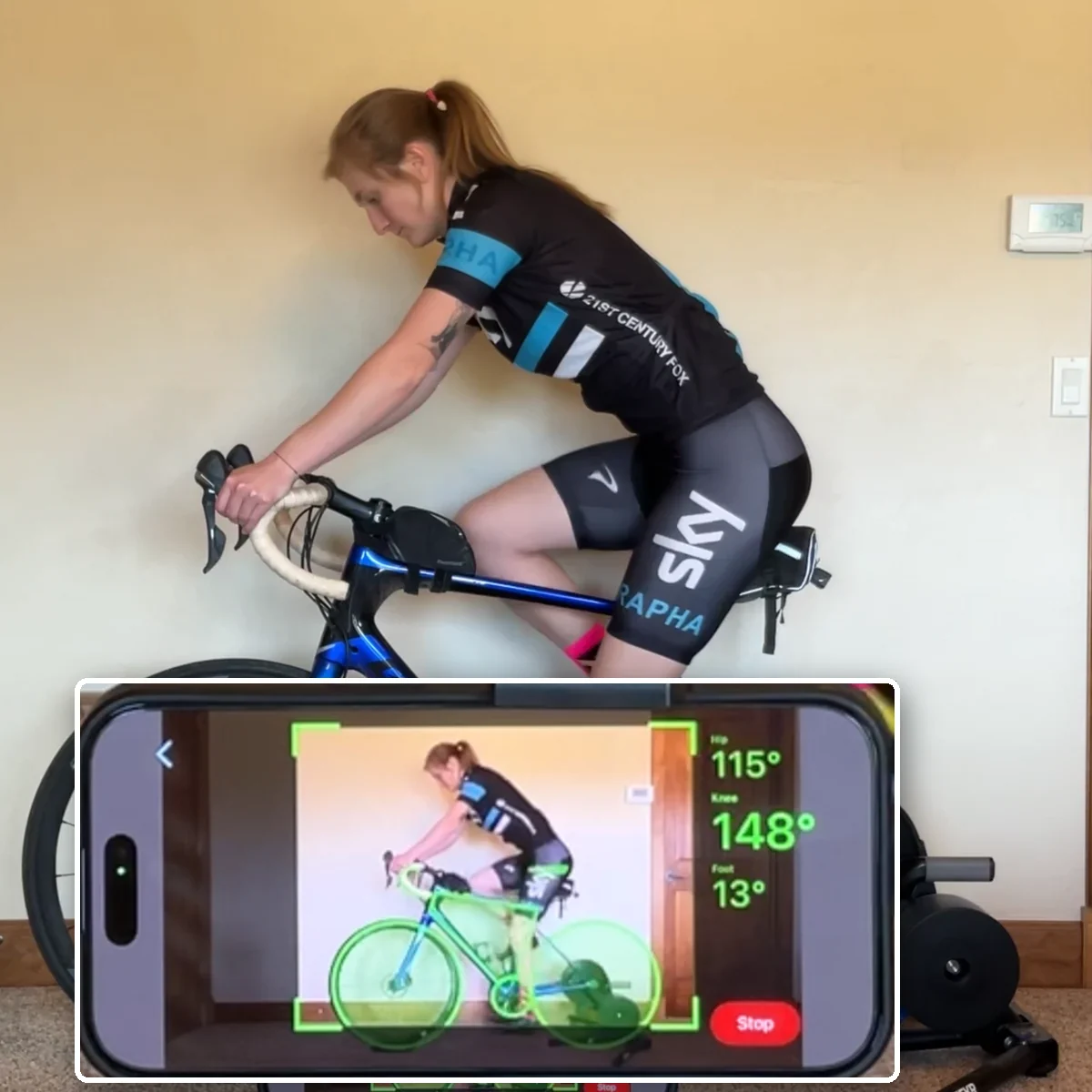
LiveCheck, while they are still on the bike.
LiveCheck reads the angles live while the rider pedals, so you can make an adjustment and watch the numbers move instead of recording again to find out.
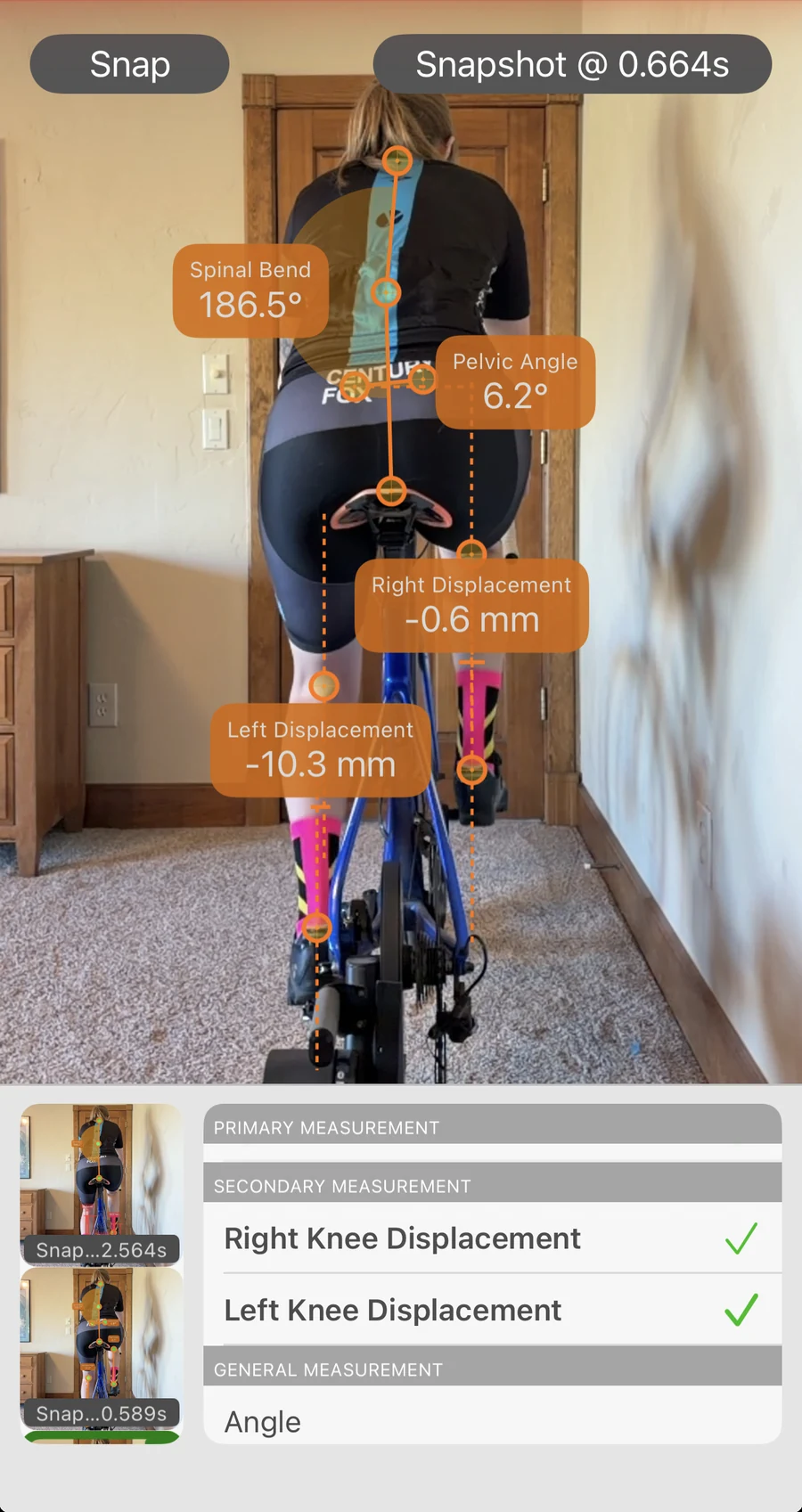
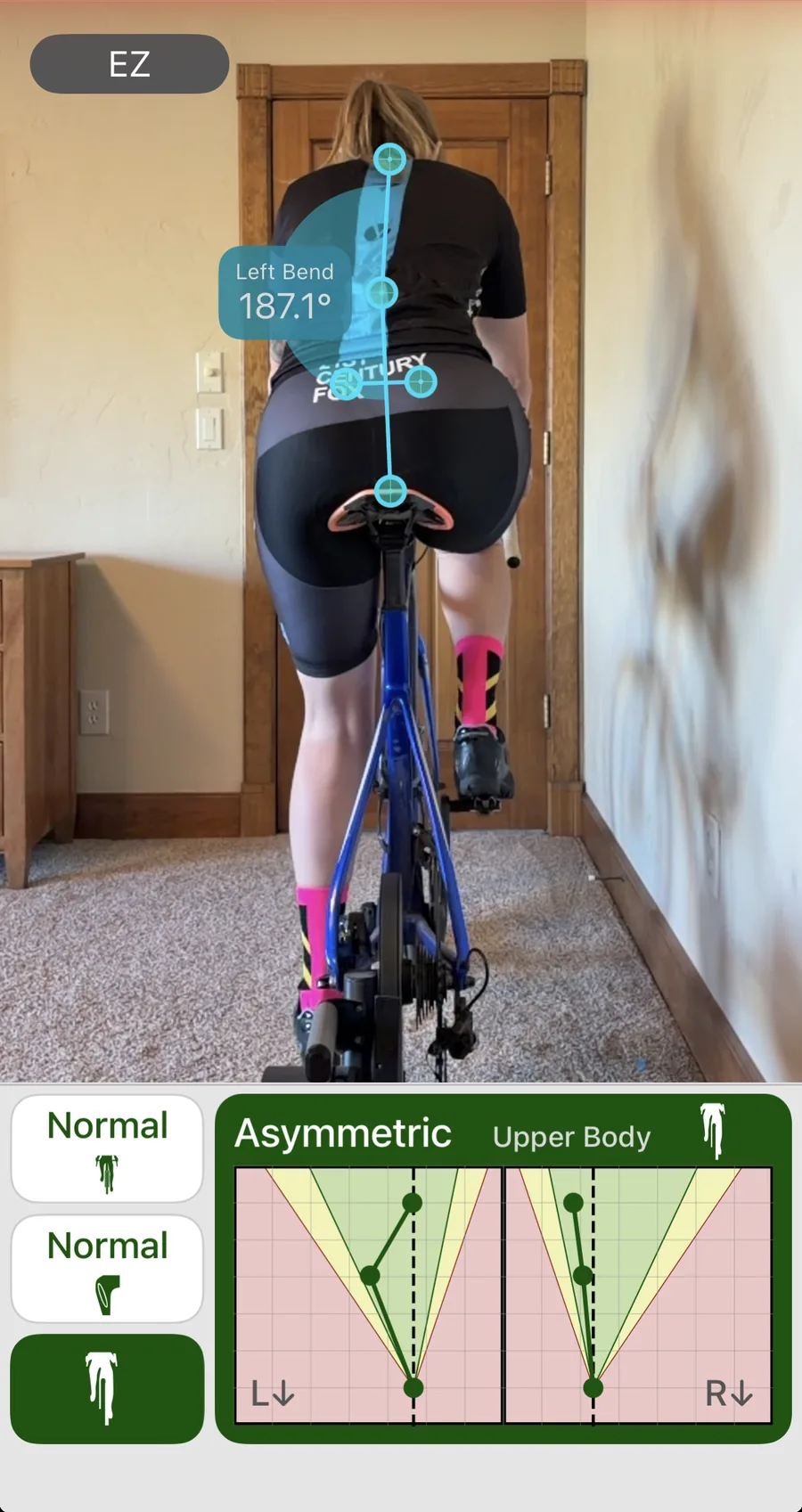
The view from behind.
Record from behind and read what a side view cannot show you: pelvic angle, PSIS, how each knee tracks, and whether the upper body stays balanced or works harder on one side.
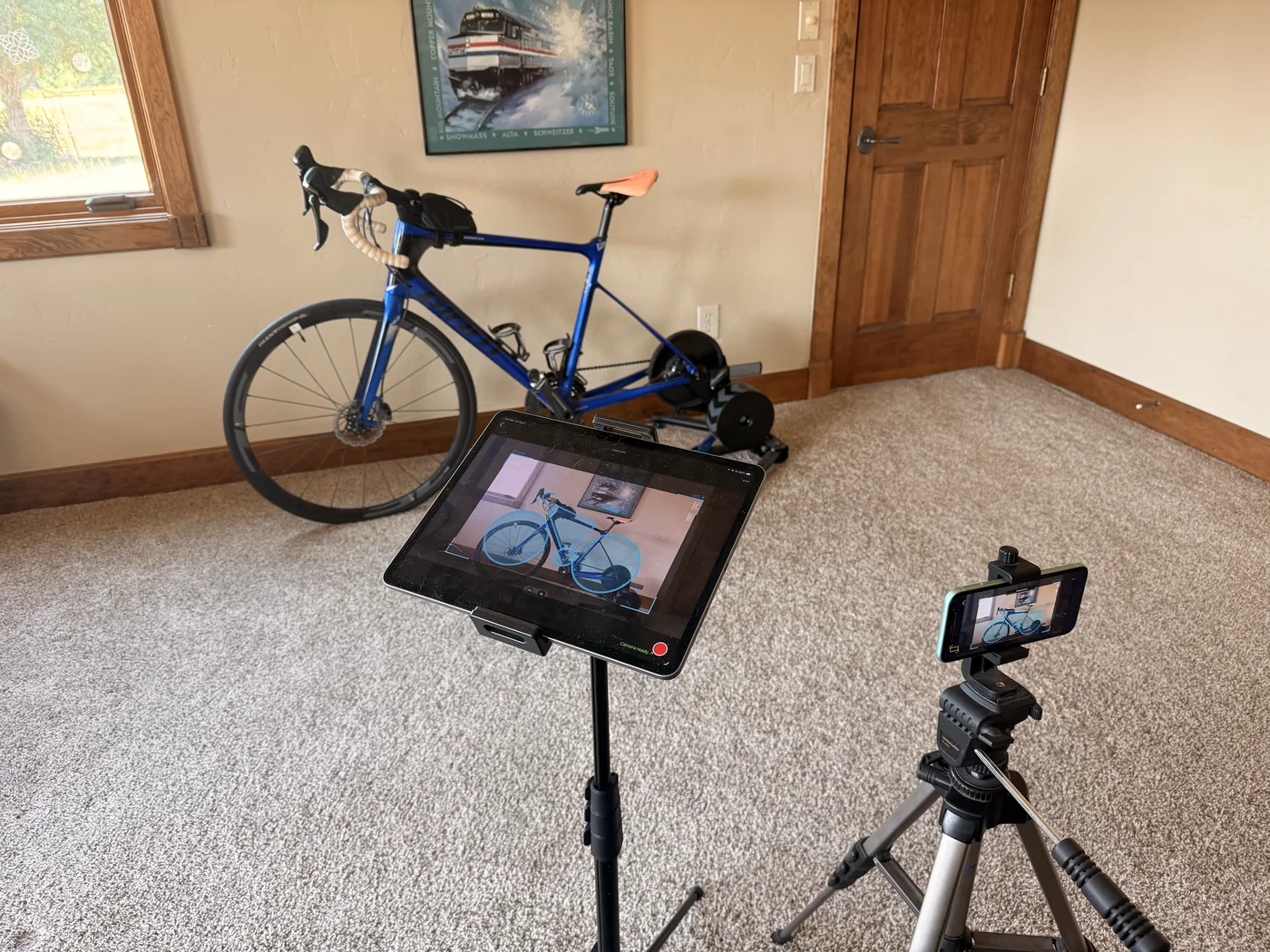
Drive the camera from across the room.
Mount one device on the tripod and run the whole recording from the iPad in your hands: watch the live view while the take is running, change the settings, and start it from where you are standing. The clip lands in the open session and analyzes itself.
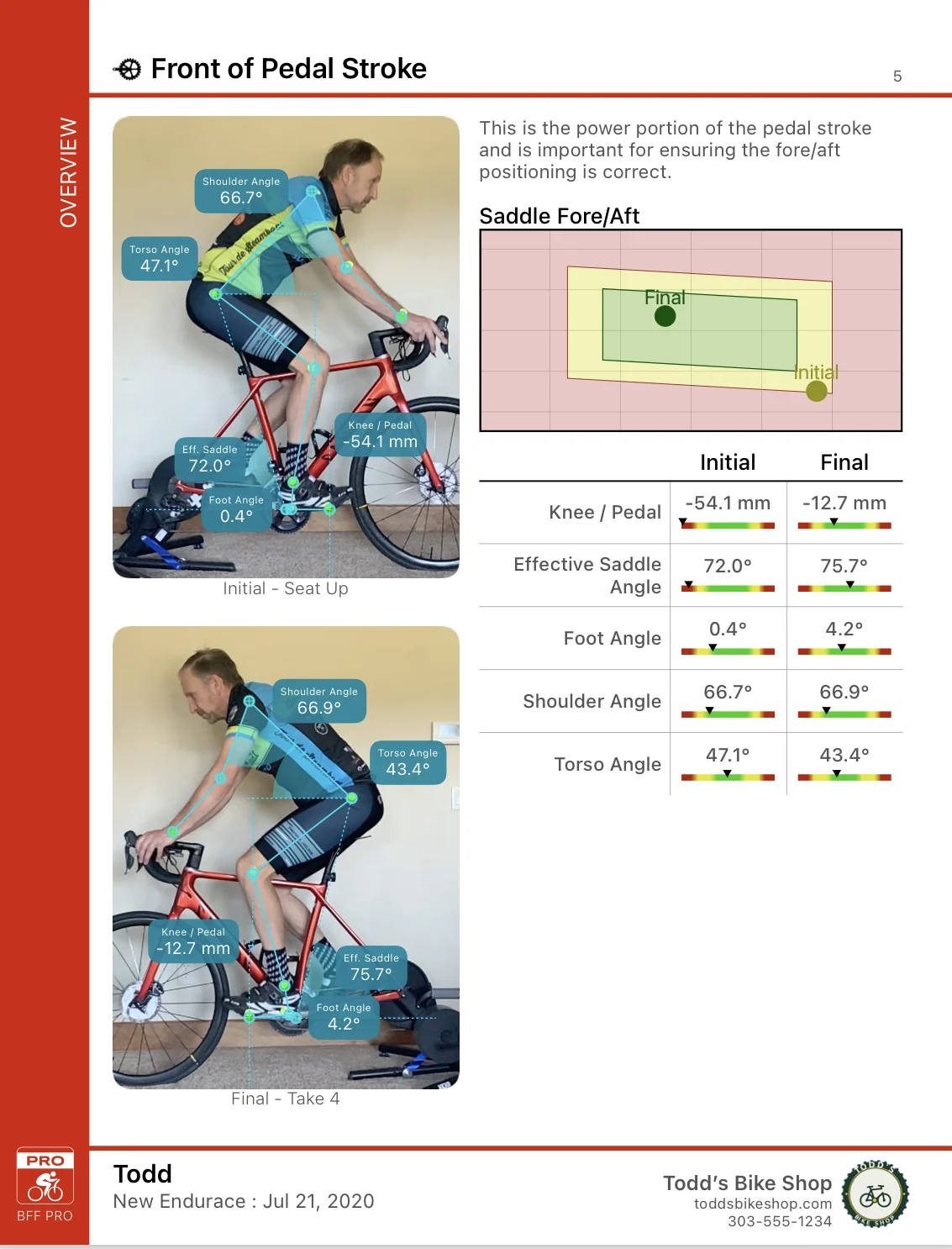
The first fit and the last, side by side.
Set the initial session against the final one and the report carries both positions together, with the before and after of every measurement in one table, so a client can see exactly what changed.
Riders, bikes, and sessions.
A record for every rider and every bike, with sessions filed against them, plus search, filter, and sort across your whole book of clients.
Take the numbers into your own analysis.
Export Data writes the measurements behind the session report to a standard CSV file, for one session or many at once, with a README that explains every column. Send it on from the share sheet or save it to Files. The column headings come out in the language the app is running in.
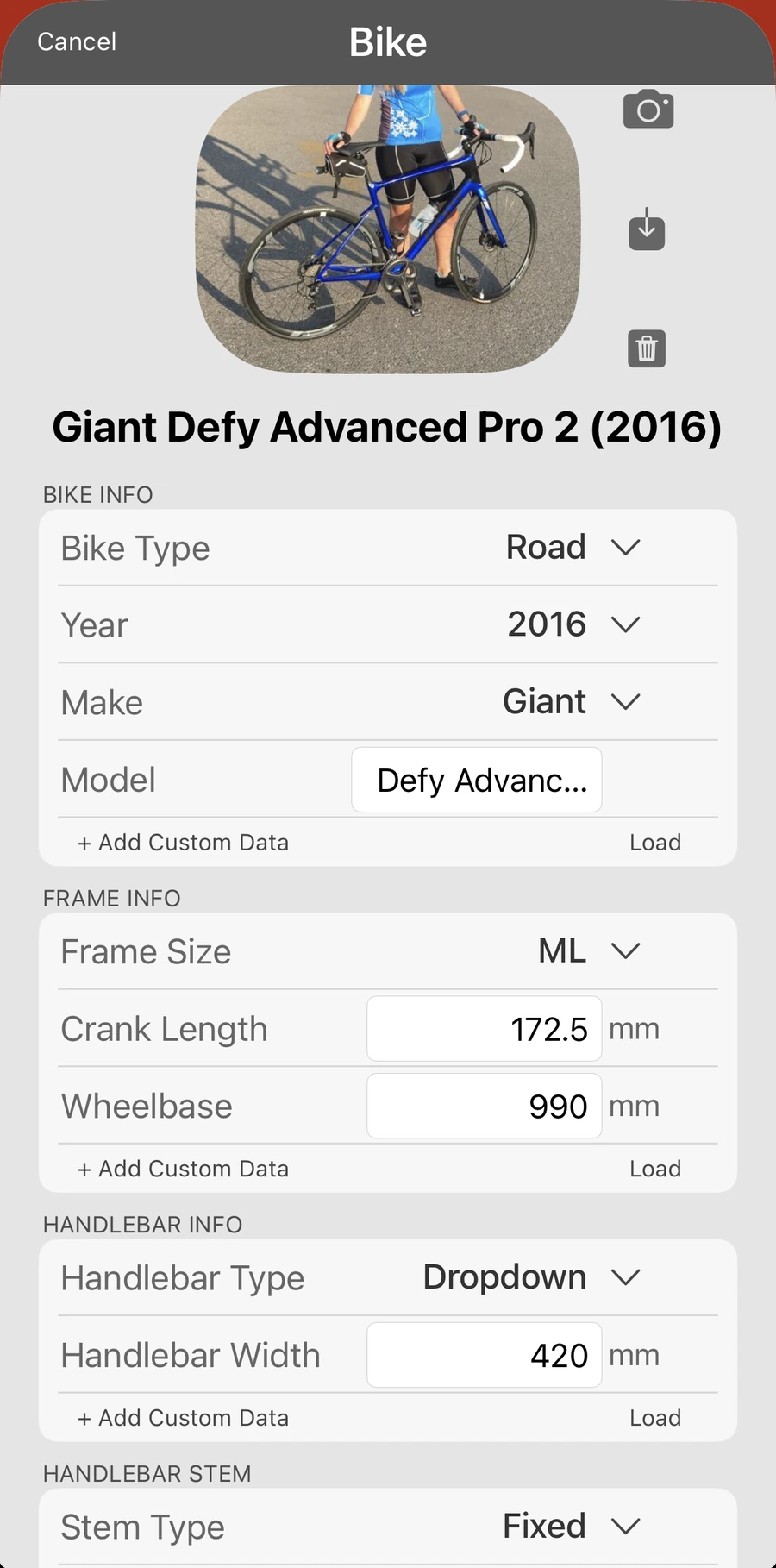
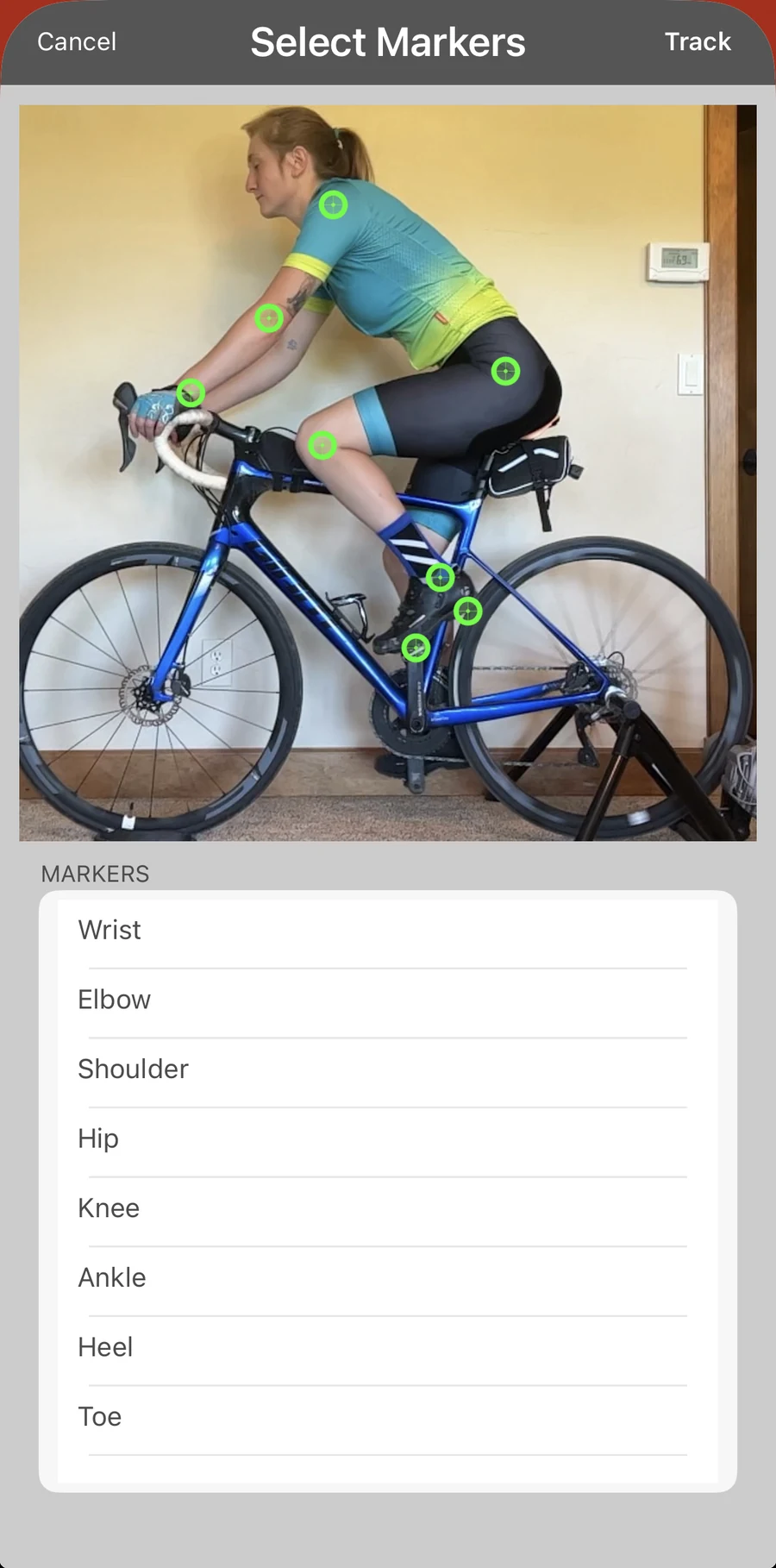
Marker override, BDC switch, custom data.
Marker override for hard cases, a Bottom Dead Center switch, crank simulation, photo import, and a full custom-data system for the fields you care about.
Your studio on the report.
Add your logo and details once and every report comes out under your own name, with your shop, your contact details and your mark on the page a client keeps.

A profile for every rider you fit.
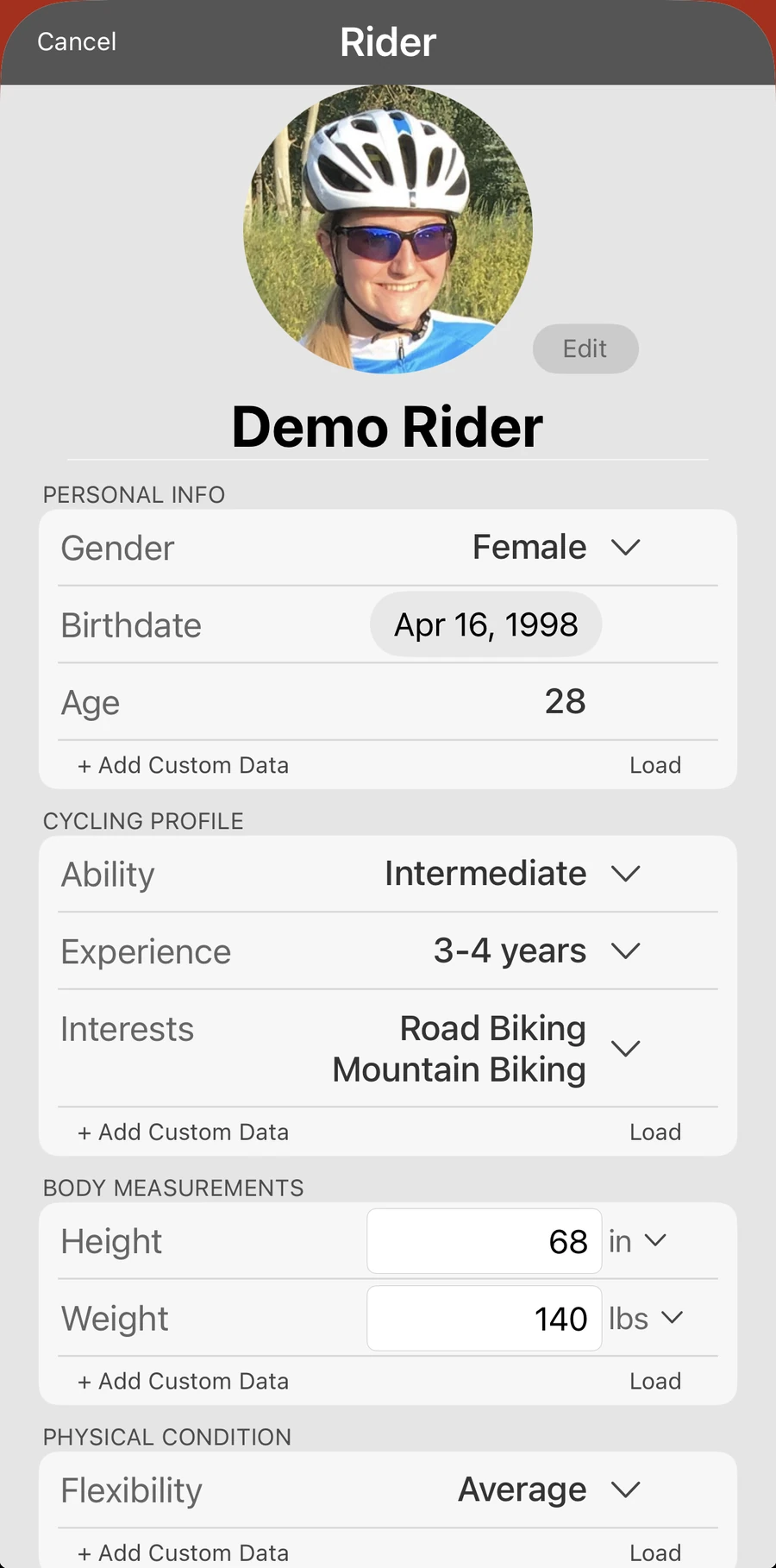
Body measurements, flexibility, injury history and your own custom fields live on the rider, not on a single session, so the next fit starts from what you already know about them.
Who it is for
- Professional fitters
- Bike shops
- Coaches
- Anyone fitting other riders
New features and beta builds land in Bike Fast Fit Pro first. Pro also keeps videos in the cloud and pulls them on demand, for roughly ten times the effective session capacity. Elite and Pro share one library, so your sessions are already there when you install Pro.
Free to learn
See Bike Fast Fit Pro in the Academy
Free lessons on the fitting method behind the platform. The Pro track is coming soon; start with the EZ track today.
Open the EZ track →